Free AI Image Editor — The Canvas Editor Is Free. AI Features Cost Extra.
The canvas editor workspace is completely free — drag-and-drop canvas, layers, undo/redo, resize, crop, format conversion, text tools, and unlimited background removal. No credit card, no subscription, no watermark. AI features like text-to-image generation, AI upscaling, inpainting, virtual try-on, and closed-source API endpoints are paid. You only pay for the AI processing you actually use. If you only remove backgrounds, you pay $0 forever.
Start Editing Free — No Credit Card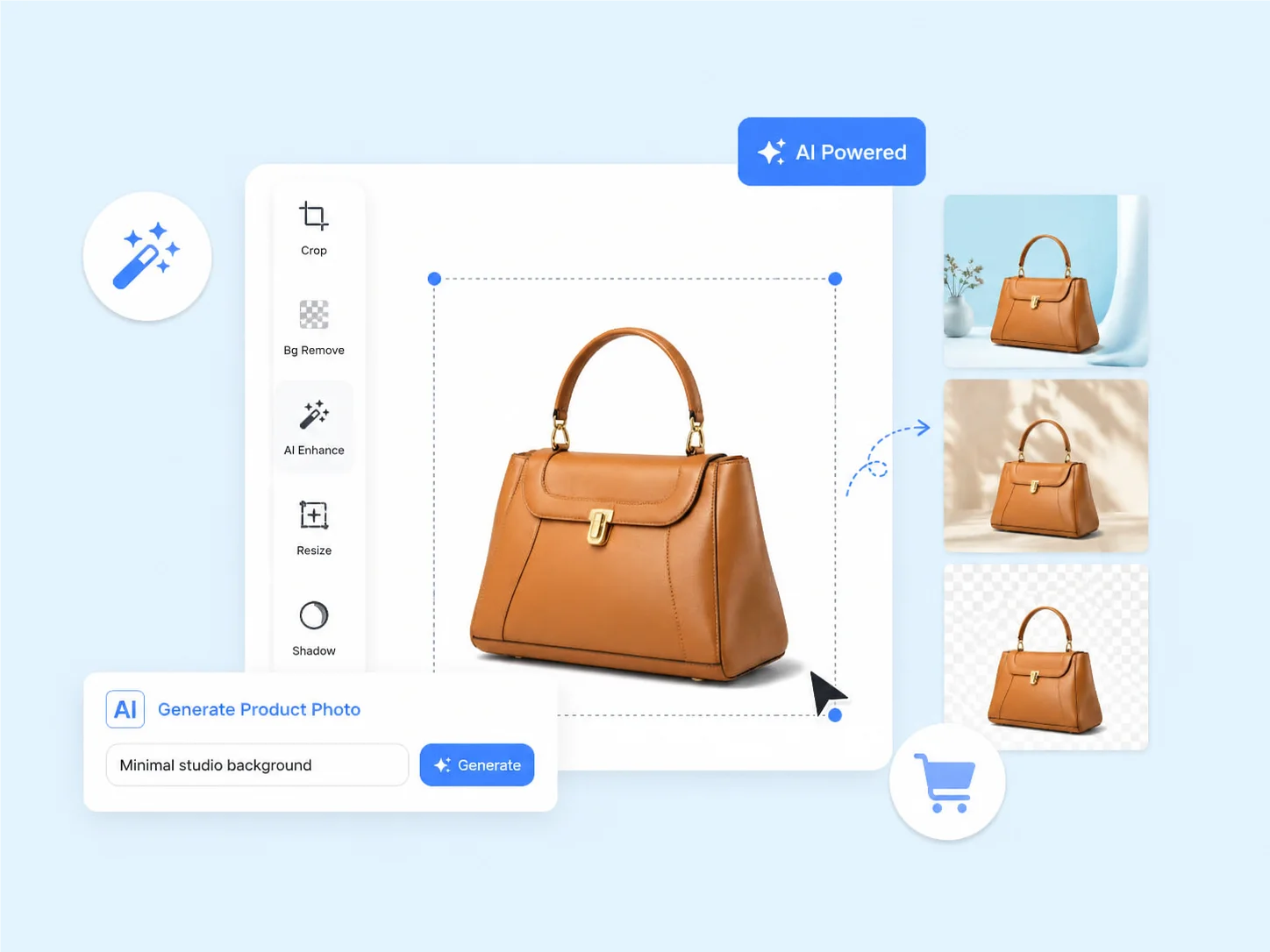
Start Using the Free AI Image Editor — 30 Seconds, No Credit Card
Create your free account (30 seconds, email only)
Go to graficai.co, enter your email, and you're in. No credit card. No phone number. No payment method. Just an email — that's it. Your free account gives you full access to the editor, all 10+ tools, and unlimited background removal immediately.
Start editing — background removal is unlimited and free
Drag any product photo into the canvas. Remove its background in 4 seconds at 99% accuracy. Resize it. Convert the format. Export it. Do this as many times as you want — it's completely free. 70% of our users never pay a cent because background removal is all they need.
Buy AI credits only when you need generative features
When you want AI generation — text-to-image, 4K upscaling, lifestyle backgrounds, inpainting, virtual try-on — purchase credits at model API cost. ~$0.01-0.05 per generation, pay-as-you-go. No subscription. No monthly commitment. Most regular users spend $5-15/month. If you stick to background removal and basic editing, your cost stays at $0.
What's Free Forever — The Complete List
Unlimited background removal
Remove backgrounds from as many product photos as you want. 4 seconds per image, 99% edge accuracy. No daily limit, no monthly cap, no credit cost. This is the #1 e-commerce task — and it's completely free.
Full canvas editor
Multi-layer canvas with drag-and-drop, undo/redo history, text and shape tools, keyboard shortcuts. The entire workspace is free — no feature gates, no 'pro-only' toolbar items.
Full canvas editor + basic tools
Resize, compress, format convert, crop, rotate, adjust brightness/contrast, text overlays — every basic editing tool is free. You get a complete canvas workspace without paying a cent.
No credit card required
Sign up with just an email. Start editing immediately. Never asked for payment info unless you choose to buy AI credits. No surprise charges, no auto-renewal traps.
4 world-class AI models
When you do use AI credits, you choose from Google Gemini, ByteDance Seedream, or OpenAI GPT Image 2 — all accessible in the same free editor at cost-based pricing.
No watermarks, ever
Free tools like Canva and Pixlr add watermarks or degrade quality on free exports. graficai never watermarks. Free users get the same full-resolution output as paid users.

'Free AI image editors are just demos that force you to upgrade' — not this one
Most free AI image editors follow the same pattern: 3 free uses, then a paywall. 5 free generations, then 'upgrade to Pro.' Canva caps free at 5 total AI uses. Adobe Express limits to 25 credits/month. Pixlr restricts to 3 saves per day and plasters your screen with ads. graficai is built differently. The editor and unlimited background removal are genuinely free because our business model isn't subscription lock-in — it's cost-based AI credits for people who need generative features. 70% of our users never pay because background removal is all they need.
See how our free tier compares'Free means low quality and watermarks' — free doesn't mean compromised
Free photo editors have trained users to expect watermarks, compressed exports, and processing queues. Canva adds watermarks to free AI exports. Pixlr compresses free downloads and shows ads. graficai's free tier uses the exact same AI models and processing pipeline as our paid users. Background removal achieves 99% edge accuracy in 4 seconds — identical across all tiers. Exports are full-resolution. Downloads are watermark-free. The infrastructure is the same. We can offer this because our costs come from AI model API calls, not from the editor itself — and you only pay for those when you use them.
Test the quality yourself — free

'I don't want a subscription I'll forget to cancel' — there is no subscription
Typical AI tools hook you with a free trial that auto-converts to a monthly charge. Photoshop: $22.99/month. Canva Pro: $15/month. Adobe Express Premium: $9.99/month. Photoroom Pro: $10.99/month. graficai has no subscription requirement. Purchase AI credits when you need them — $5, $10, $20 — and use them until they run out. No monthly commitment. No auto-renewal. No 'cancel before the trial ends' anxiety. The editor and background removal continue working whether you have credits or not. This is pay-as-you-go for AI, not subscription for software.
Start free — no subscription everFree Tier Comparison — graficai vs Other AI Image Editors
Comparing what you actually get for $0. Data from official pricing pages, May 2026.
| Tool | Free BG Removal | Free AI Generations | Resolution | Watermark? | Credit Card? | Ads? |
|---|---|---|---|---|---|---|
| graficai | Unlimited | Pay at cost (~$0.01-0.05) | Up to 2K free, 4K with credits | Never | No | Never |
| Canva AI | Manual only | 5 total, lifetime cap | 1080p | On free tier | No | No |
| Adobe Express | 10 sec, limited | 25/month | 2K | No | No | No |
| Photoshop | Manual + AI assist | 7-day trial only | 4K | No | Yes (trial) | No |
| Pixlr | Variable, 85% accuracy | 3 saves/day | 1080p | No | No | Yes |
| Photoroom | 5 sec, 94% accuracy | Limited exports | 2K | On free tier | No | No |
Free tier features as published on each tool's official website, verified May 26, 2026. graficai's AI generation credits are pay-as-you-go at model API cost, not a subscription.
Try graficai Free — No Credit CardThe Canvas Editor Is Free. AI Features Cost Extra. Start Free Today.
Unlimited background removal. Full canvas workspace with layers, resize, crop, format conversion — all free. AI features like image generation, upscaling, and inpainting are pay-as-you-go at cost. No subscription required for anything.